
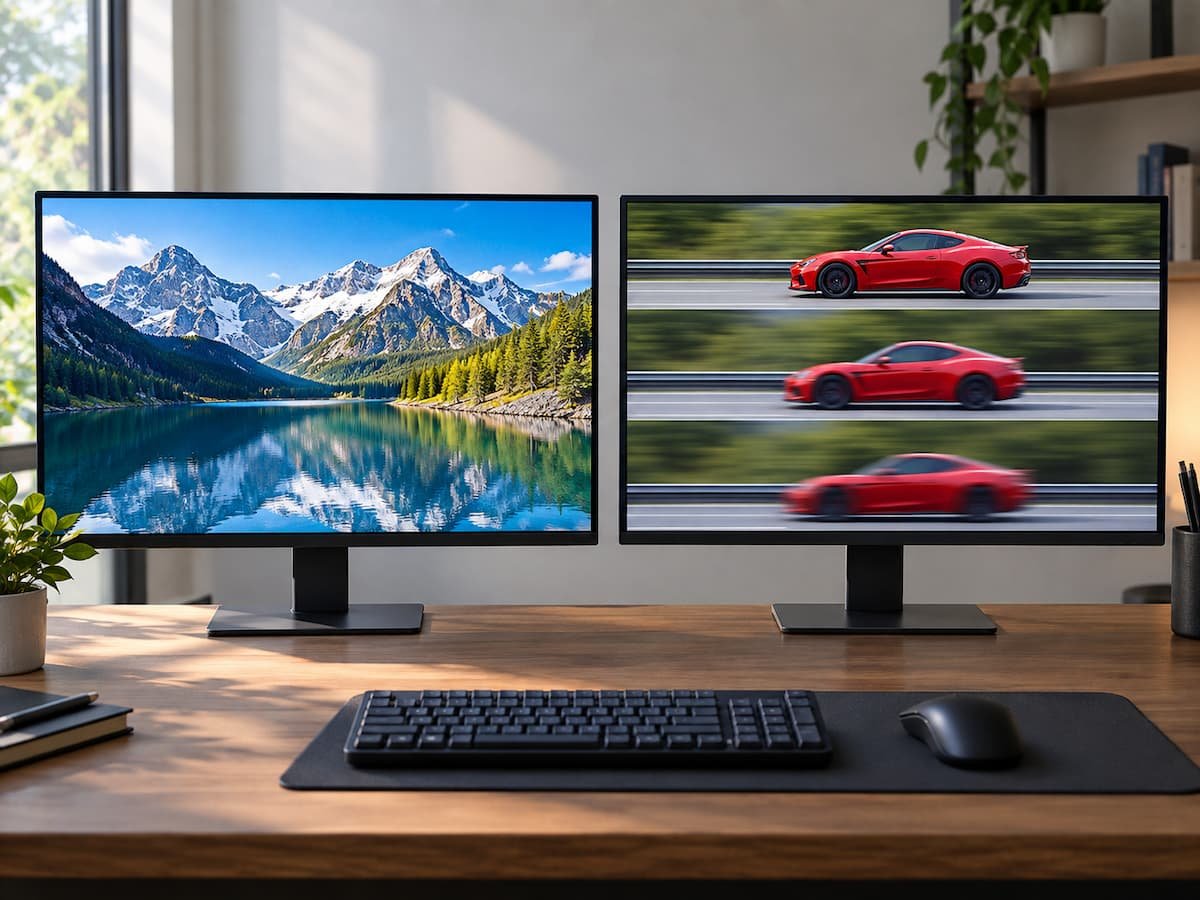
When choosing between two displays, the specification sheet can make the decision look deceptively simple. One monitor might offer 4K resolution at 60Hz, while another offers 1440p at 165Hz. A laptop may have a 2560×1600 panel running at 120Hz, while a similar model uses a lower-resolution 1920×1200 display at 165Hz. Both numbers describe something real, but they change different parts of the viewing experience.
Resolution determines how much visual information the display can show at once and how finely that information is represented. Refresh rate determines how frequently the display can update that image. Microsoft defines refresh rate as the number of times a display refreshes each second; a 60Hz display refreshes 60 times per second. Higher refresh rates can make gaming, scrolling, and pen input feel smoother, although the benefit depends on the content and hardware involved.
That makes the decision less about asking which specification is inherently superior and more about identifying what kind of change you will actually notice. Resolution tends to change the appearance of static detail, text, and workspace. Refresh rate primarily changes motion and responsiveness. The right balance depends heavily on screen size, viewing distance, software, graphics hardware, and the type of movement you regularly put on the display.
Resolution Changes What You Can See
Display resolution is the number of pixels arranged across the screen. A 1920×1080 display contains about 2.07 million pixels, while 2560×1440 contains about 3.69 million and 3840×2160 contains about 8.29 million.
More pixels can produce finer detail, but the visible benefit depends on how large the display is and how far away you sit from it. A 4K image on a large monitor viewed relatively close can reveal considerably more fine detail than 1080p. On a small laptop viewed from a normal distance, the difference may be less dramatic, particularly when the operating system scales text and interface elements.
Resolution also affects pixel density, usually expressed as pixels per inch (PPI). Two displays can have the same 2560×1440 resolution but different pixel densities if one is 24 inches and the other is 32 inches. The larger display spreads the same number of pixels over more physical space.
This is why resolution should never be evaluated independently from screen size. A higher-resolution panel can make text and fine interface elements look cleaner, but the improvement is partly determined by how densely those pixels are packed.
Resolution can also increase usable workspace. A higher-resolution screen gives applications more pixels to work with, although the practical amount of visible content depends on operating-system scaling and application behavior. For people working with documents, spreadsheets, timelines, design applications, or large browser windows, that extra workspace can be more useful than simply having a sharper picture.
Refresh Rate Changes Motion
Refresh rate is measured in hertz (Hz) and describes how frequently the display can refresh. At 60Hz, a new refresh occurs every 16.67 milliseconds. At 120Hz, that falls to 8.33ms, while 144Hz reduces the interval to 6.94ms. RTINGS’ measurements illustrate why the jump from 60 Hz to 120 Hz is substantially larger in frame timing than later increases such as 180 Hz to 240 Hz.
The effect is easiest to notice when something moves across the screen. Scrolling through a long webpage can appear smoother at a higher refresh rate. Cursor movement can feel more fluid, and games can display more frequent updates when the computer is producing enough frames.
Gaming makes the difference particularly obvious because the computer is continuously generating new frames. Microsoft specifically notes that higher refresh rates can improve gaming by increasing responsiveness and reducing motion-related problems.
But a 240Hz monitor does not automatically make every game run at 240 frames per second. The computer, graphics processor, and game settings must be capable of supplying frames at that rate. RTINGS similarly notes that achieving a monitor’s maximum refresh rate requires sufficient system performance as well as the appropriate connection and bandwidth.
This creates one of the biggest misunderstandings in display shopping: refresh rate is the display’s capability, not a guarantee of the frame rate you will experience.
| Specification | Primarily affects | Becomes more noticeable when |
|---|---|---|
| Resolution | Detail, text sharpness, and workspace | You view fine detail, text, or large amounts of content. |
| Refresh rate | Motion smoothness and update frequency | You scroll, animate interfaces, or play fast-moving games. |
| Pixel density | Perceived sharpness | You sit relatively close or use text-heavy applications. |
| Response time | How quickly pixels change | Fast objects move across the screen. |
| Input lag | Delay between input and visible response | Gaming and other interactive applications |
| VRR | Synchronization between frames and refreshes | Frame rates fluctuate during games. |
That last group is important because a high refresh rate does not exist in isolation. A display can advertise 240Hz and still have motion problems if its pixel response is too slow. RTINGS measures response time separately because slow pixel transitions can produce blur or inverse ghosting during fast movement.
The 4K 60Hz Versus 1440p 144Hz Example
Consider two otherwise similar 27-inch monitors.
- Monitor A: 3840×2160 at 60Hz
- Monitor B: 2560×1440 at 144Hz
Monitor A provides substantially more pixels. At 27 inches, its pixel density is about 163 PPI, compared with about 109 PPI for 1440p. Fine text, photographs, and detailed graphical elements can therefore appear noticeably sharper.
Monitor B, however, can refresh more than twice as frequently. If the computer is producing sufficiently high frame rates, movement can look substantially smoother and interactive controls can feel more responsive. Neither specification makes the other irrelevant. The choice changes depending on what occupies your screen.
Someone spending most of the day reading documents, examining photographs, editing high-resolution media, or working with large design files may value the additional pixel density. Someone playing competitive games or frequently using fast-moving applications may notice the higher refresh rate more often.
A third option can make the discussion easier: a 4K high-refresh display. Such panels increasingly combine both characteristics, but driving 4K at high frame rates requires considerably more graphics performance than driving 1440p at the same frame rate. RTINGS notes that 4K gaming at high refresh rates requires a more powerful graphics card, while current displays can support combinations such as 4K at 144Hz and beyond. The compromise, therefore, moves from the display itself to the computer’s graphics workload, price, and power requirements.
Higher Resolution Is Not Always More Useful
There is a point at which additional resolution produces diminishing practical returns. Increasing from 1080p to 1440p on a similarly sized monitor can be quite visible because both sharpness and available workspace increase. Moving from 1440p to 4K can also be significant, particularly on larger screens or for users who care about fine detail.
But increasing resolution further does not necessarily produce the same proportional improvement. RTINGS notes that while 8K displays can provide additional text clarity over 4K, the difference is less significant at ordinary viewing distances, while 8K also requires substantially more rendering power.
This is a recurring technology trade-off: the specification can continue increasing after the practical benefit begins to shrink. Screen size changes the equation. A high-resolution panel on a large desktop monitor can benefit from additional pixels because the pixels are spread over more physical space. On a relatively small screen, those same pixels may be difficult to distinguish individually at a normal viewing distance.
Operating-system scaling matters too. A 4K laptop does not necessarily show four times as much usable interface content as a 1080p laptop. Windows or macOS may enlarge interface elements so that text remains readable. The underlying image can still be sharper, but the amount of additional workspace depends on scaling settings and application support.
Higher Refresh Rate Has Its Own Diminishing Returns
The jump from 60Hz to 120Hz is easier to quantify than the jump from 240Hz to 360Hz. At 60Hz, each refresh takes 16.67ms. At 120Hz, it takes 8.33ms. At 240 Hz, it is 4.17 ms, and at 360 Hz, it falls to 2.78 ms. Each increase provides a real reduction in frame interval, but the absolute difference becomes smaller as refresh rate rises.
This does not mean higher refresh rates are useless. They can still matter to people who play games at very high frame rates or who are particularly sensitive to motion behavior. But the practical improvement from 60 Hz to 120 Hz is a different proposition from moving between already high refresh rates. There is also a performance requirement. If a game is running at 75 FPS, a 240Hz monitor cannot manufacture the missing frames from the game. Technologies such as variable refresh rate can help synchronize the display with changing frame rates, but they do not remove the underlying rendering limitation.
VRR can be particularly useful when frame rates fluctuate. RTINGS explains that variable refresh rate synchronizes the monitor’s refresh behavior with the source’s frame rate, reducing tearing when the frame rate does not remain stable.
The Connection Can Become the Limiting Factor
A display’s advertised resolution and refresh rate are not necessarily available simultaneously through every input. The monitor, computer, graphics hardware, cable, and connection standard all need to support the required signal. RTINGS gives examples where a monitor can reach a higher refresh rate through DisplayPort than HDMI because of bandwidth limitations.
Modern HDMI standards have expanded the available bandwidth considerably. HDMI 2.2, for example, specifies 96Gbps bandwidth and supports higher-resolution and higher-refresh combinations, including uncompressed 4K at 120Hz and additional higher-bandwidth formats.
This matters particularly for laptops. A laptop might have a high-resolution internal panel but limited external-display capabilities through a particular USB-C port, dock, or adapter. Similarly, a gaming PC might support a monitor’s maximum refresh rate only through one of its outputs.
Before buying a high-resolution, high-refresh display, verify:
- The graphics processor supports the desired resolution and frame rate.
- The monitor’s specified refresh rate is available at its native resolution.
- The laptop or desktop has an appropriate output.
- The cable and dock support the required signal.
- HDR, color depth, and other features do not reduce the available bandwidth.
- VRR works across the specific source and connection combination.
A display specification without its connection requirements can therefore be incomplete.
Gaming Makes the Trade-Off More Complicated
For gaming, resolution affects the amount of graphical detail the GPU must render. Moving from 2560×1440 to 3840×2160 increases the number of pixels from about 3.7 million to 8.3 million—more than twice as many pixels per frame. That can place considerably more work on the graphics processor. A game that runs comfortably at a high frame rate at 1440p may produce a substantially lower frame rate at native 4K, depending on the GPU, game engine, and graphics settings.
Refresh rate creates the opposite pressure: to take advantage of 144 Hz, 240 Hz, or 360 Hz, the system needs to produce sufficiently high frame rates. This means a high-resolution/high-refresh display can demand considerably more graphics performance than either specification considered independently.
Modern games can also use technologies such as upscaling and frame generation, changing the relationship between rendering resolution and displayed frame rate. The resulting image quality and latency characteristics vary by implementation, so the monitor specification should not be treated as a complete description of gaming performance.
There is another reason not to look only at Hz. Response time determines how quickly the individual pixels transition. RTINGS describes it as an important factor in motion handling because slow transitions can create visible blur even when the monitor has a high refresh rate. A 165Hz display with poor motion response is therefore not equivalent, in practical motion quality, to every other 165Hz display.
For Work, Resolution Often Changes More Than Refresh Rate
For office work, programming, spreadsheets, photo editing, and general productivity, resolution can have a more direct effect because the screen is often displaying mostly static content. Higher resolution can make small text and interface elements cleaner, and a larger pixel canvas can make it easier to arrange multiple windows. This is especially useful when the physical screen is large enough to benefit from the additional pixel density.
Refresh rate still matters. Microsoft notes that higher refresh rates can make browsing and pen input feel more fluid. Scrolling through a long webpage at 120Hz can feel substantially different from scrolling at 60Hz even though the page itself contains exactly the same information. The important distinction is that refresh rate tends to change how movement feels, while resolution tends to change how much detail you can see. If most of your work involves reading and editing static content, resolution may provide the more persistent visual change. If you constantly scroll, navigate large interfaces, or use a stylus, a higher refresh rate can become more noticeable.
A Laptop Adds Battery Life to the Decision
On a laptop, the display decision also affects power consumption. Microsoft notes that lowering the refresh rate can save battery power because the display consumes less energy. Windows’ Dynamic Refresh Rate can automatically adjust refresh behavior on supported hardware, although its operation depends on the display and system capabilities.
Higher resolution can also increase the amount of graphical work required, although actual battery impact varies significantly by panel technology, GPU architecture, display controller, brightness, software, and power-management behavior. That makes laptop displays particularly difficult to compare from specifications alone. A 4K 120Hz panel may look impressive on a product page, but the practical value depends on whether the laptop’s GPU can make effective use of the resolution and whether its battery and thermal design can support the intended workload.
For a portable computer, a 120Hz adaptive display can sometimes provide a more useful balance than simply selecting the highest available refresh rate. Similarly, a moderately high-resolution panel may make more sense than an extremely high-resolution one if battery life is a priority.
There Is a Third Question: What About Color, Brightness, and Panel Quality?
Resolution and refresh rate are not the only display specifications that determine image quality. A monitor with higher resolution can still produce a less satisfying picture if its contrast, brightness, color accuracy, or HDR performance is poor. Likewise, a high-refresh display can have disappointing motion quality if its pixel response is slow or if its overdrive introduces artifacts.
This is why a display comparison based only on “4K versus 240Hz” leaves out important information. For creative work, color accuracy and gamut may matter more than moving from 120Hz to 240Hz. For HDR movies, contrast and peak brightness can matter more than either resolution or refresh rate once the display is already sufficiently sharp. For competitive gaming, response time, input lag, and VRR support can become more relevant once refresh rate is already high. The two specifications in the title are therefore better understood as different axes of display performance, not competing versions of the same feature.
When Each Upgrade Is Likely to Be Noticeable
A higher-resolution display is particularly relevant when:
- You work with detailed photographs, video, or graphics.
- You spend many hours reading or editing text.
- You want more workspace on a large monitor.
- Your current display looks visibly pixelated or lacks fine detail.
- You sit close enough to benefit from greater pixel density.
A higher-refresh display is particularly relevant when:
- You play games with high frame rates.
- You frequently scroll through long pages or timelines.
- You use applications with substantial animation.
- You use a digital pen and value smoother movement.
- You notice motion blur or sluggishness on a 60Hz display.
There are also situations where neither upgrade should take priority. If the current display already has adequate resolution and refresh rate, improving brightness, contrast, color accuracy, response time, ergonomics, or connectivity may produce a larger practical improvement.
For anyone comparing different screen dimensions and resolutions, the TechTalksX Display Resolution & Aspect Ratio Calculator can help put the raw pixel dimensions into context rather than treating “4K” or “1440p” as isolated labels.
The Trade-Off Is About What the Display Is Doing
Resolution and refresh rate do not compete to perform the same job. Resolution determines the density of visual information; refresh rate determines how frequently that information can change on screen. That difference explains why a 4K 60Hz monitor and a 1440p 144Hz monitor can both be compelling without one being universally preferable. The first emphasizes detail and pixel density. The second emphasizes motion and responsiveness. Increasing either specification can make a display meaningfully better for the right workload, while producing relatively little benefit for someone whose usage does not depend on that characteristic.
The practical decision is therefore to start with the type of content you actually view. If your work is dominated by text, photographs, design files, and static information, examine resolution and pixel density carefully. If your use involves games, fast scrolling, animation, or pen input, examine refresh rate alongside response time and VRR.
And before paying for either upgrade, check the rest of the system. A computer that cannot produce enough frames will not fully exploit a very high refresh rate, while an application that provides little additional workspace may not make full use of a very high resolution. The most useful display is the one whose resolution, refresh rate, response behavior, connectivity, and panel characteristics match the way the screen is actually used.
FAQs
1. Is 4K 60Hz better than 1440p 144Hz?
They change different characteristics. 4K provides considerably more pixels and can deliver greater detail and pixel density, while 144Hz provides more frequent screen updates and smoother motion. The useful choice depends on whether your workload places greater emphasis on visual detail or motion.
2. Is 120Hz enough for everyday use?
For many users, 120Hz provides a substantial improvement in motion smoothness over 60Hz while avoiding the diminishing returns associated with extremely high refresh rates. Whether it is worth paying more depends on the rest of the display and how frequently you notice smoother scrolling or animation.
3. Does higher resolution reduce gaming FPS?
It can. Rendering more pixels increases the graphics workload. Moving from 1440p to 4K more than doubles the number of pixels that must be rendered for each frame, although actual frame-rate changes depend on the GPU, game, and graphics settings.
4. Is a 240Hz monitor useful if my game runs at 120 FPS?
It can still operate normally, but you will not receive 240 unique game frames per second from a game producing 120 FPS. A high-refresh display can still provide useful characteristics, and VRR can synchronize the display with changing frame rates, but the source’s frame production remains important.
5. Should I prioritize resolution or refresh rate on a laptop?
Look at the workload first. Text-heavy and detail-oriented work can benefit substantially from higher resolution and pixel density, while gaming, scrolling, and animated interfaces can benefit from higher refresh rates. Battery life, GPU capability, display scaling, and panel quality should also be considered before choosing either specification.