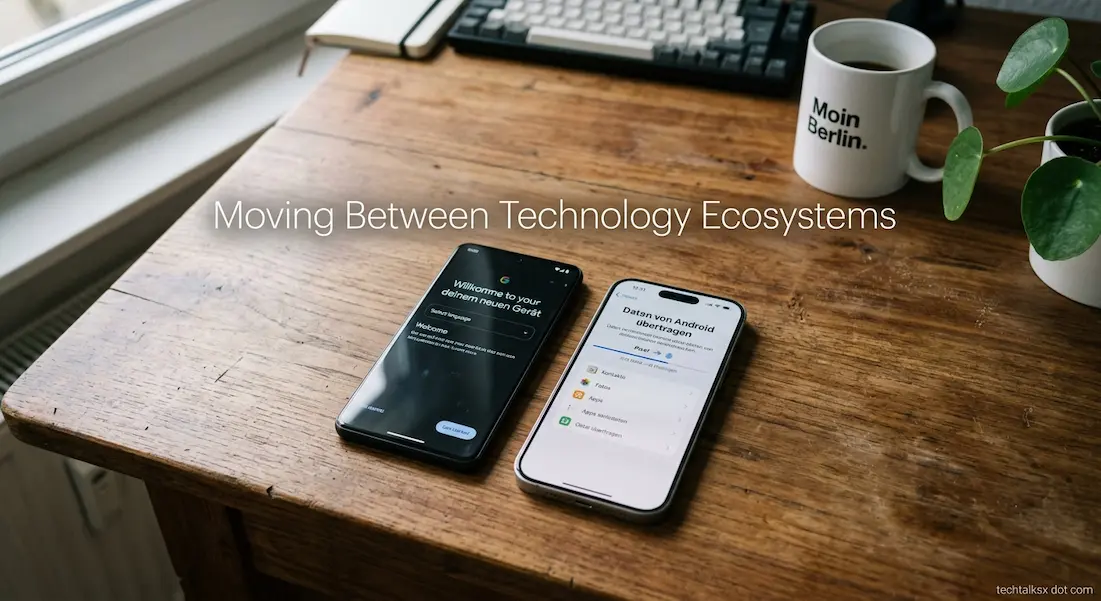
Changing from one technology ecosystem to another can look deceptively simple. A person may buy a new phone, sign into an account, transfer their photographs, reinstall a familiar set of apps, and assume the transition is essentially finished.
The visible data transfer is only part of what changes.
A technology ecosystem is a collection of devices, operating systems, accounts, cloud services, applications, accessories, subscriptions, and synchronization features that are designed to work together. Moving between ecosystems therefore changes more than the hardware in your hand. It can change where your data lives, which account controls it, how devices communicate, which services synchronize automatically, and which features depend on staying inside the same platform.
That is why moving from Android to iPhone, iPhone to Android, Windows to macOS, or one cloud provider to another can feel strangely unfamiliar even when your files and applications appear to have followed you.
Your Data And Your Ecosystem Are Not The Same Thing
The first distinction to make is between data and the systems that organize it.
Contacts, photographs, calendars, documents, messages, passwords, bookmarks, and email accounts are data. But the way those things are synchronized and presented depends on the services surrounding them.
A contact stored in a Google Account can remain accessible after moving to an iPhone because Google provides its own iOS applications and account integration. Similarly, Microsoft accounts can span Windows and other platforms, carrying information such as contacts, calendar data, passwords, favorites, and browsing information depending on the services and synchronization settings being used. (Microsoft Support)
This is why changing hardware does not necessarily mean abandoning the account that has held your information for years.
The more significant change occurs when your old workflow depended on services that were tightly connected to the previous ecosystem. A feature that once required no thought may suddenly require a different application, a different account, or a manual step.
The First Change Is Usually The Account Layer
Modern devices are increasingly built around an account rather than existing as completely independent machines.
On Windows, for example, a Microsoft Account can connect the computer with Microsoft services and allow settings and files to synchronize across devices. Microsoft contrasts this with a local Windows account, whose settings, files, and applications are limited to that particular device. (Microsoft Support)
Apple and Google operate similar account-centered models around their respective platforms.
This means a device migration often involves two separate decisions:
- Which data should move to the new device?
- Which account or service should become the primary home for that data?
Those decisions do not always have the same answer.
Someone can move from Android to iPhone while continuing to use Google Photos, Google Drive, Gmail, Google Maps, and Chrome. The phone changes, but much of the user’s online identity does not.
Alternatively, the same person might use the migration as an opportunity to move some services to Apple’s ecosystem. That is a larger transition because the task is no longer simply transferring files. It involves changing where future data will be created and synchronized.
Not Everything Transfers In The Same Way
Device migration tools have become considerably more capable, but they still do not make two ecosystems identical.
Apple’s current Android-to-iPhone migration process can transfer items including contacts, message history, photos and videos, calendars, call history, files and folders, web bookmarks, mail accounts, WhatsApp messages and media, and some settings. Apps that are available on both platforms and support the relevant transfer mechanism can also be downloaded. (Apple Support)
Google similarly provides tools for moving data from iPhone to Android, with the available data depending on the transfer method and devices involved. Google notes that some steps vary by device and that the method used supports certain data types differently. (Google Help)
The important word in both cases is transfer.
Transferring a file does not necessarily transfer the entire environment in which the file was created.
An application may move as an equivalent download rather than as an exact copy of its old installation. Its local settings may not follow. A subscription may need to be restored. An application may use a different backup system on the new platform. A feature that existed on the old device may be implemented differently or may not exist at all.
This is why a migration can be technically successful while still requiring substantial adjustment afterward.
Apps Often Have Platform-Specific Histories
One of the most visible differences after switching ecosystems is the application library.
The same service may exist on Android and iOS, but the two versions can have different interfaces, permissions, integrations, or feature availability. Some applications rely heavily on operating-system capabilities, and their behavior can therefore change when the underlying platform changes.
Even when an application itself transfers cleanly, its data may have been stored in a platform-specific backup system.
The result is an important distinction between having the app and having the same app environment.
A messaging application, for example, may have its own migration process because messages are not simply ordinary photographs or documents. Apple specifically includes WhatsApp messages and media among the content that can be transferred through its supported Android-to-iPhone migration process. (Apple Support)
Other applications may require you to sign in again or restore information separately.
For this reason, a migration checklist based only on “install all my apps” misses a significant part of the job.
Cloud Storage Can Make A Switch Easier — Or More Confusing
Cloud services are one of the reasons ecosystem changes are less disruptive than they once were.
If your photographs already live in Google Photos, for example, changing the physical phone does not require copying every photograph manually from one device to another. You can install the appropriate application and sign into the same account.
The same principle also applies to cloud-based documents, email, calendars, password managers, and other services that work across platforms.
But cloud storage can also create confusion because a file’s location and its visibility on a device are not always the same thing.
A document may be stored in a cloud account while appearing locally on one computer. Another device may show the same document through an application without keeping an identical offline copy.
When moving between ecosystems, it is therefore worth identifying where important information actually lives before changing anything.
For large collections, TechTalksX’s Data Storage Unit Converter can be useful when checking whether a local device has enough capacity for the data you intend to keep offline.
Photos Can Expose The Difference Between Data And Features
Photographs are a good example of why migration is more complicated than copying files.
A basic image file is relatively portable. Ecosystem-specific features surrounding that image may be limited.
Albums, editing information, shared libraries, cloud optimization, search features, metadata, and device-generated organization can depend on the photo service rather than the image file itself.
This means that a collection can arrive on a new device intact while the way you interact with that collection changes.
The same issue appears with other types of data. A calendar event is portable, but the reminders, sharing relationships, account permissions, and synchronization rules surrounding it may depend on the service that manages the calendar.
The file or record is only one part of the experience.
Messages Are Often Harder Than Files
Messages are particularly tied to ecosystems because they combine data, accounts, phone numbers, contacts, synchronization, encryption, backups, and platform-specific services.
The migration process may therefore require additional steps that do not apply to ordinary documents.
Google’s current Android migration guidance, for example, specifically notes that iPhone users moving to Android may need to disable iMessage. (Google Help)
This scenario is a good example of something that can be missed if the transition is viewed purely as a file-copying exercise.
Your phone number may remain the same, yet the messaging experience can change because the services associated with that number are changing.
The same principle applies to other communication systems. A contact list can transfer successfully while the way messages, calls, video calls, or shared content are handled changes around it.
Accessories Can Reveal Ecosystem Dependence
Hardware accessories are another area where the change becomes obvious.
Wireless earbuds, watches, tablets, keyboards, smart-home devices, cars, and other accessories may support multiple platforms, but their feature sets are not necessarily identical across them.
A device may continue working for its basic function while losing some ecosystem-specific features.
This is particularly relevant when an accessory was purchased as part of a larger platform rather than as an independent product.
Before switching, it is therefore useful to separate accessories into three groups:
| Type | What To Check |
|---|---|
| Cross-platform | Whether the accessory supports the new operating system |
| Partially compatible | Which features disappear or change |
| Ecosystem-dependent | Whether it can be used meaningfully outside its original platform |
This prevents a common surprise: discovering after the phone has been replaced that another expensive device depended on the old ecosystem for features that were easy to take for granted.
Passwords And Sign-In Methods Can Be The Hidden Migration Problem
Passwords are increasingly less visible because browsers and password managers can fill them automatically.
That convenience can hide how dependent your accounts are on a particular password-management system.
A person moving between ecosystems may suddenly discover that the credentials they normally accessed automatically are stored somewhere else. The same applies to passkeys, authentication applications, recovery codes, and security keys.
Google’s migration guidance now includes steps such as updating recovery information, checking linked-app access, creating a passkey, setting up a password manager, and configuring Sign in with Google when moving from Android to iPhone. (Google Help)
That reflects a broader change in account management: the device itself is increasingly only one part of the authentication system.
Before retiring an old device, it is therefore important to establish that you can sign into the accounts that matter without depending on that device for the only available authentication method.
Your Browser May Follow You Differently
Browsers are another example of an apparently simple transition that can hide substantial changes.
If you use a browser account with synchronization enabled, bookmarks, passwords, history, and other supported information may follow you across devices.
Microsoft says a Microsoft Account can make information such as favorites, calendar information, contacts, passwords, browsing history, and recommended files available across devices, depending on the services being used. (Microsoft Support)
But moving from one browser ecosystem to another may require a deliberate migration.
A browser bookmark is relatively straightforward. A password database, extensions, browser settings, site permissions, and synchronized history can involve considerably more dependencies.
This area is also where the difference between a browser and an account becomes important. You might replace Safari with Chrome without changing your Google Account, or replace Chrome with another browser while keeping your Microsoft or Google services.
The ecosystem does not necessarily have to change simply because the browser does.
Your Phone Number Is Not Your Entire Mobile Identity
Changing ecosystems can also reveal how many services connect to a phone number.
A number may be associated with messaging, account recovery, two-factor authentication, banking alerts, carrier services, and communication applications.
The number itself can often remain unchanged when moving between platforms. The surrounding services may still need attention.
eSIM migration illustrates this particularly well. Apple currently supports certain Android-to-iPhone eSIM transfers where the carrier and devices meet the requirements, but support varies by carrier and hardware. (Apple Support)
That means the physical or electronic SIM is only one component of the transition.
Before resetting the old phone, the more important question is whether critical accounts still have a reliable way to authenticate after the old device is gone.
The Old Ecosystem May Still Own Part Of Your Digital Life
One of the most easily overlooked problems is that switching devices does not automatically close the old ecosystem.
An old Google Account, Apple Account, Microsoft Account, cloud-storage subscription, password manager, or application account may continue to hold years of information.
There is nothing inherently wrong with keeping those accounts.
In fact, maintaining them can make a migration easier because they can continue providing access to older data.
The mistake is assuming that buying a new device automatically moves everything away from the old account.
A migration is complete only when you understand which services remain where.
This is particularly important for subscriptions. An application can be installed on the new platform while its subscription is still associated with a particular account or purchasing system. The details vary by service, so assuming that every purchase follows the hardware can lead to unnecessary confusion.
Some Ecosystem Features Are Designed To Work Together
The reason ecosystem switching can feel disruptive is also the reason people find ecosystems useful in the first place.
When devices come from the same platform family, manufacturers can coordinate features across them.
A phone can share information with a tablet. A computer can use the same cloud account. A browser can synchronize credentials. A watch can interact with the phone. Files can appear across multiple devices without manual copying.
Microsoft’s account documentation describes this model directly: a Microsoft Account connects Windows with Microsoft services and enables information to be available across devices. (Microsoft Support)
The same design principle exists in other technology ecosystems.
The convenience is real, but it creates dependencies. Once several devices are built around the same account and synchronization system, moving one component can expose those relationships.
What Actually Changes When You Switch?
The transition is easier to understand when separated into layers.
| Layer | Usually Portable | May Change During A Switch |
|---|---|---|
| Personal files | Yes | Storage location and offline access |
| Photos | Usually | Albums, editing, organization, cloud features |
| Contacts | Usually | Default account and synchronization |
| Usually | Apps, notifications, account integration | |
| Calendar | Usually | Default calendar and sharing behavior |
| Apps | Often replaceable | Data, settings, purchases, platform features |
| Passwords | Transferable in many cases | Manager, autofill, passkey integration |
| Messages | Sometimes | Platform-specific features and migration process |
| Accessories | Depends | Advanced or ecosystem-specific features |
| Cloud services | Usually accessible | Default storage and device integration |
| Device settings | Limited | Operating-system-specific behavior |
The key pattern is that information is generally more portable than integration.
Your photograph can move. The experience built around that photograph may not.
Your contact can move. The way your phone, messaging service, assistant, and other applications interact with it may change.
Your password can move. The system that fills it automatically may be different.
A Good Migration Starts Before The New Device Is Set Up
The safest approach is to map your dependencies before changing hardware.
Start with the things that would cause real problems if they disappeared:
- important accounts
- password manager
- passkeys
- two-factor authentication
- contacts
- photographs
- messages
- documents
- cloud storage
- subscriptions
- banking and financial applications
- smart-home devices
- wearables and other accessories
Then determine where each item currently lives.
This is more useful than simply creating a backup and hoping the migration tool handles everything. Apple’s own migration guidance, for example, recommends keeping both devices powered and connected during the transfer and verifying the transferred content afterward. (Apple Support)
The old device should generally remain available until the new one has been tested.
That means checking more than whether the home screen looks familiar. Open the accounts you actually use. Confirm that important files are accessible. Test authentication. Check messaging. Verify photographs and contacts. Test accessories that matter.
Only then should the old device be erased or recycled.
Switching Ecosystems Does Not Mean Starting From Zero
The modern technology ecosystem is less closed than it once was. Google, Apple, Microsoft, and third-party services increasingly provide migration tools and cross-platform applications.
Apple currently provides a dedicated Android-to-iPhone migration process that can move substantial categories of personal information, while Google provides corresponding guidance for moving from iPhone to Android. (Apple Support)
But interoperability does not make the ecosystems identical.
The parts that move most easily are usually the underlying data and accounts. The parts that require more attention are the relationships between that data, the operating system, applications, accessories, synchronization services, and platform-specific features.
That is why a successful ecosystem switch should not be measured by whether your old files appear on the new device.
The more meaningful question is whether your digital life still works the way you expect it to.
Once you identify which services actually hold your information and which features depend on the old platform, moving between ecosystems becomes less about starting over and more about deliberately rebuilding the connections that matter.
Frequently Asked Questions
Will all my data transfer when I change from Android to iPhone or iPhone to Android?
No. Modern migration tools can transfer many important categories, but the exact data supported depends on the platforms, devices, transfer method, and applications involved. Apple and Google both document supported categories and limitations for their respective migration processes. (Apple Support)
Do I have to stop using Google services if I move to an iPhone?
No. You can continue to use Google services such as Gmail, Google Photos, Google Drive, Google Maps, Chrome, and Google Calendar on an iPhone. Moving hardware and changing your primary cloud-service provider are separate decisions.
Will my apps transfer with all their data and settings?
Not necessarily. Some applications can be matched or downloaded on the new platform, but app data, settings, subscriptions, and platform-specific features may require separate handling. Apple’s migration process explicitly notes that some free apps can be matched when they are available on both platforms and support the transfer process. (Apple Support)
Should I erase my old phone immediately after transferring my data?
No. Keep the old device until you have verified the information and accounts you actually depend on. Google explicitly recommends confirming that data has been copied before clearing and resetting an old device for recycling or trade-in. (Google Help)
What is usually hardest to move between technology ecosystems?
The difficult parts are often not ordinary files but the relationships surrounding them: messages, passwords and passkeys, application-specific data, subscriptions, device integrations, accessories, cloud synchronization, and platform-specific features. The underlying data may be portable, but the experience built around it changes.