
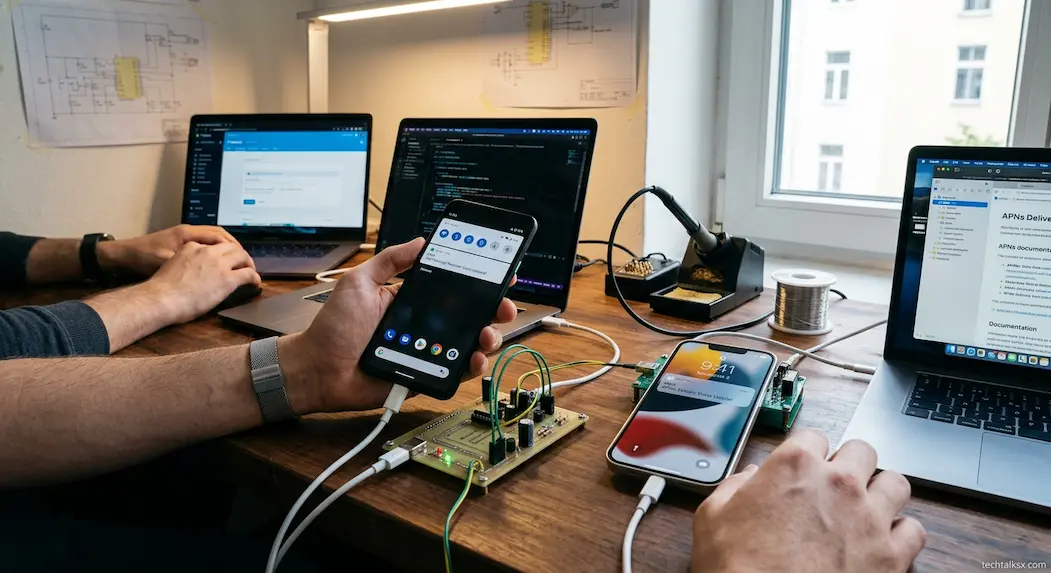
A push notification can seem almost instantaneous. Someone sends a message, a sports score changes, a delivery status updates, or a security alert is triggered, and a few moments later a notification appears on a phone whose app may not even be open. It can feel as though the app itself is permanently listening for new information.
Usually, it is not.
Modern push notifications rely on a separate delivery infrastructure that sits between an application’s backend and the operating system on the device. Instead of requiring every app to maintain its own always-running network connection, mobile platforms provide centralized services that can keep the necessary communication channel available and deliver small notification payloads to the device.
On Apple devices, that infrastructure is Apple Push Notification service (APNs). On Android, Firebase Cloud Messaging (FCM) can route messages through Google’s platform-level transport infrastructure. FCM’s architecture also uses APNs when delivering FCM messages to Apple devices. Both systems are designed to deliver messages even when the application’s own process is not actively running. (Firebase)
That architecture is one of the main reasons notifications can arrive quickly without every app continuously consuming battery and maintaining a separate connection to its own server.
The App First Gets A Device-Specific Address
Before a service can deliver a push notification, it needs a way to identify the intended app installation.
Apple calls this a device token. When an application registers for remote notifications, APNs provides a token that identifies the app on that device. The application passes that token to its provider server, which can then include it when sending a notification through APNs. Apple also warns developers not to permanently cache device tokens because they can change after events such as restoring a device or reinstalling the operating system. (Apple Developer)
FCM uses a similar concept through a registration token that identifies an app instance. Firebase’s architecture describes the lifecycle as registering the client, obtaining a registration token, and then allowing the application’s server to target that app instance when sending a downstream message. (Firebase)
The important point is that the application server generally does not need to know the phone’s current IP address and somehow connect directly to it. Instead, it gives the platform’s notification infrastructure an identifier for the destination.
That changes the problem from “How can this company’s server reach a phone right now?” to “How can the platform’s push service deliver a message to the registered app instance?”
A Push Notification Usually Passes Through Several Systems
A simplified journey looks like this:
App event → application server → push service → platform transport → phone → operating system → notification
Suppose a messaging service detects that someone has sent you a new message.
Its backend determines that a notification should be generated. The backend sends a notification request to the relevant push service, including the destination token and notification payload. The push service validates and processes that request, then routes it through the platform’s delivery infrastructure to the device.
Apple explicitly describes remote notification delivery as involving the provider server, APNs, the user’s device and the application. Google’s FCM architecture similarly separates the application server, FCM backend, platform-level transport and client SDK. (Apple Developer)
The application itself therefore does not have to be awake at every moment waiting for an incoming message.
Apple And Android Use Different Infrastructure
The underlying idea is similar across platforms, but the implementations are not identical.
For Apple’s ecosystem, the provider server sends notification requests to APNs. APNs authenticates the provider, uses the supplied device token to identify the destination, and attempts to deliver the payload to the device. Apple documents APNs as maintaining an encrypted, persistent IP connection to the user’s device for notification delivery. (Apple Developer)
On Android, applications commonly use FCM. An application’s trusted server sends a message request to the FCM backend, which then routes the message through a platform-specific transport layer. For Android devices with Google Play services, Google’s architecture identifies the Android Transport Layer as that platform-level component. (Firebase)
This centralization is important for battery life. Instead of hundreds of applications independently maintaining persistent network connections, the operating system and platform infrastructure can coordinate notification delivery through shared mechanisms.
The Phone Maintains A Communication Path
The speed of push notifications depends partly on the phone already having a communication path available to the platform’s notification infrastructure.
Apple says APNs manages an encrypted, persistent IP connection to the device. This does not mean every application maintains its own permanent connection. The operating system participates in maintaining the platform-level channel that allows notifications to reach the device. (Apple Developer)
That distinction explains one of the most important pieces of push-notification architecture.
If ten different applications need notifications, the phone does not necessarily need ten independent always-on connections to ten separate application servers. The platform can maintain its own connection and route messages to the appropriate applications.
The operating system can then decide how the notification should be presented and whether the application needs to be launched or given an opportunity to process additional data.
Why The App Does Not Need To Be Open
A push notification is specifically designed to work when the application is not running in the foreground.
Apple describes remote notifications as a mechanism for sending small amounts of data to devices even when the app isn’t running. On Android, FCM handles background notification messages through the system notification tray rather than requiring the application’s user interface to remain open. (Apple Developer)
This is a major architectural difference from a simple application that repeatedly asks its server:
“Is there anything new?”
If every app used frequent polling, the phone would repeatedly wake applications, establish or reuse network activity, process responses and consume energy even when nothing had changed.
Push reverses the direction of the trigger.
The server sends information when something happens, while the platform provides the mechanism for reaching the device.
The Message Is Usually Small
Push notification systems are optimized for signaling rather than transferring an entire application dataset.
A notification might contain text such as “You have a new message” along with an identifier telling the app which conversation changed. The application can then retrieve the full content separately if necessary.
Apple’s remote-notification architecture uses a JSON payload sent to APNs, while FCM supports notification payloads, data payloads, or messages containing both. (Apple Developer)
This separation has practical advantages.
The push service does not necessarily need to carry an entire conversation, image library or account database. It can carry a small signal that tells the device something has happened.
The application can then decide what additional work is required.
For example:
Push arrives → notification appears → user taps → app opens → app requests current data
That is often more efficient than sending every piece of application data through the push channel.
The Operating System Controls What Happens Next
Receiving a push message does not mean the application automatically gets unlimited processing time.
The operating system controls how background applications behave because unrestricted background activity could drain batteries, consume network resources and create security or privacy problems.
On Android, FCM distinguishes between normal and high-priority messages. Normal-priority delivery can be delayed when a device is in Doze mode, while high-priority messages are intended for time-sensitive, user-visible events and can allow limited processing when the device is sleeping. Google explicitly warns that high priority should be reserved for messages expected to result in user interaction. (Firebase)
This is one reason “push notifications are instant” is an oversimplification.
The infrastructure is designed for rapid delivery, but delivery remains subject to device state, platform policies, network conditions, application behavior and message priority.
Battery Saving Is Part Of The Design
A phone spends much of its time with the screen off, applications suspended and radios operating under power-management policies.
The push system has to work within those constraints.
Android’s Doze mode is a clear example. Google states that normal-priority FCM messages can be delayed while the device is in Doze mode so the system can conserve battery. High-priority messages can receive different treatment when an urgent, user-visible notification is appropriate. (Firebase)
Apple similarly documents that APNs may delay, group or throttle notifications depending on factors including device power state and how the person interacts with the application. (Apple Developer)
This means a push system is balancing two competing requirements:
Deliver information quickly when it matters, while avoiding unnecessary device activity when it does not.
The result is not a guarantee that every notification will appear immediately. It is a platform-managed attempt to make important notifications arrive promptly without treating every background message as an emergency.
A Notification Can Arrive Before The App Fetches The Full Information
One subtle feature of push notifications is that the visible alert and the application’s complete data can be separate things.
A messaging application may receive a push notification indicating that a new message exists. The operating system can display the alert, while the application later synchronizes the actual conversation.
This allows notifications to remain relatively small.
It also helps applications recover from missed or delayed messages. If the notification itself only signals a state change, the app can perform a synchronization operation after it becomes active and retrieve the authoritative current state from its server.
FCM’s Android documentation illustrates this separation between notification and data payload handling, particularly when an app is in the background. Notification messages can be delivered to the system tray, while associated data can be provided to the application’s launch activity. (Firebase)
That design is especially useful because the notification is not necessarily the system of record. The application’s backend remains responsible for the actual data.
What Happens If The Phone Is Offline?
A push notification does not disappear simply because the device is temporarily unreachable.
Push services can retain certain notifications and attempt delivery when the device becomes available again, although the exact behavior depends on the platform, notification type, expiration settings and other policies.
Apple states that APNs can store a notification when it cannot deliver it immediately and attempt delivery when the device becomes available. It also documents that APNs can coalesce notifications and may store only one notification for a given bundle ID in certain circumstances. (Apple Developer)
This behavior is important for applications that generate many updates.
Imagine a news application generating ten separate alerts while the phone is offline. Delivering all ten individually after reconnection may not be useful. The platform may instead apply its delivery and coalescing rules so that the user is not overwhelmed with stale alerts.
Push infrastructure is therefore not simply a high-speed mailbox. It also makes decisions about timing, storage and delivery.
Why Some Notifications Arrive Late
A delayed notification does not necessarily mean the sender’s server was slow.
The delay can occur at several points:
- The application server may generate the notification late.
- The provider may take time to submit the request.
- The push service may validate or process the request.
- The device may be offline.
- Battery-saving policies may defer delivery.
- The message may have normal rather than high priority.
- The operating system may throttle or group notifications.
- Cellular or Wi-Fi connectivity may be unstable.
- The application may need another network request before showing useful information.
Apple explicitly describes APNs as a best-effort service and notes that notifications may be reordered, delayed, grouped, throttled or not delivered. (Apple Developer)
Google likewise documents that FCM delivery is affected by priority and device state. (Firebase)
So the phrase “push notification” describes the delivery architecture, not an absolute latency guarantee.
The Connection Between Your Phone And The Push Service Matters
A notification can only reach the device if the device can communicate with the relevant platform infrastructure.
That connection can use Wi-Fi or cellular data. When the phone changes networks, loses coverage or temporarily has no usable data connection, delivery can be interrupted.
The platform’s architecture is designed to reconnect and resume delivery as network availability changes.
This is different from an application maintaining its own connection continuously. The operating system can manage the platform-level communication channel while applications remain suspended.
That division is especially important on mobile devices, where network radios and background CPU activity are tightly managed for battery consumption.
Security Starts Before The Notification Is Delivered
Push notification infrastructure also needs authentication.
A malicious party should not be able to impersonate an application’s backend and send arbitrary notifications to its users.
Apple requires the provider server to authenticate with APNs, using token-based authentication or certificates depending on the implementation. APNs then validates the notification request before using the device token to route the payload. (Apple Developer)
FCM similarly expects message requests to originate from a trusted environment such as an application server or Firebase Cloud Functions. Google’s documentation separates the trusted server environment from the client application receiving the messages. (Firebase)
The device token or registration token is therefore only one part of the security model. The sender also needs authorization to submit messages through the push service.
Push Delivery Does Not Automatically Mean End-To-End Encryption
Another distinction is between secure transport and end-to-end encrypted content.
Push infrastructure uses authenticated and encrypted connections for communication between the relevant systems. That does not automatically mean the push-service operator cannot process the notification payload.
Whether the content itself is protected from intermediary services depends on how the application designs its messaging system.
A privacy-focused messaging application can encrypt the actual message content separately and use push notifications primarily as signals that encrypted data is available. Other applications may send more information directly in the notification payload.
Therefore, the presence of a lock icon or an encrypted connection does not by itself establish that notification content is end-to-end encrypted.
Why Push Notifications Feel So Fast
The apparent speed comes from several optimizations working together rather than one special “instant notification” technology.
First, the application server does not have to discover the phone’s current network location from scratch. It has a platform-managed destination token.
Second, the mobile operating system and push infrastructure already have mechanisms for receiving notifications while applications are suspended.
Third, the notification payload can be small.
Fourth, the platform can maintain communication infrastructure independently of the application’s lifecycle.
Finally, the notification can be displayed by the operating system without launching the full application.
The user therefore sees the final result without seeing most of the underlying process.
The Journey From An App Event To Your Screen
A simplified example makes the entire architecture easier to visualize.
Suppose someone sends a message through a chat application.
The sequence can look roughly like this:
| Stage | What Happens |
|---|---|
| 1. Event | The sender’s message reaches the chat service |
| 2. Decision | The service determines that the recipient should be notified |
| 3. Targeting | The server identifies the recipient’s registered device/app token |
| 4. Submission | The server sends a notification request to APNs or FCM |
| 5. Routing | The push service sends it through the relevant platform transport |
| 6. Device | The phone’s operating system receives the notification |
| 7. Presentation | The system displays the alert according to notification settings |
| 8. Interaction | The user taps the notification |
| 9. Synchronization | The application retrieves current conversation data if needed |
The exact sequence can differ between platforms and message types. FCM itself can route through different platform-specific transport layers, while Apple’s APNs architecture has its own provider-to-device path. (Firebase)
But the broader architecture remains consistent: the app’s server does not need to directly operate the phone’s notification interface.
Near-Instant Does Not Mean Guaranteed Instant
Push notification systems are engineered for low-latency delivery, but there is no universal guarantee that a notification will appear immediately after an event.
Apple explicitly calls APNs a best-effort service. Its documentation notes that notifications can be delayed, reordered, grouped or throttled, and that power state and user interaction can influence delivery. (Apple Developer)
Android similarly applies message-priority rules and power-management behavior. Normal-priority FCM messages can be deferred during Doze, while high-priority messages receive more immediate treatment when appropriate. (Firebase)
This is an important distinction when evaluating notification systems. A service that usually delivers within seconds is not necessarily promising that every notification will arrive within a fixed number of milliseconds.
The architecture is optimized for timely delivery while operating within the constraints of mobile networks, battery life and operating-system policies.
Frequently Asked Questions
Why can a notification arrive when the app is closed?
The notification is delivered through the mobile platform’s push infrastructure rather than through the application’s foreground process. APNs and FCM are designed to deliver remote messages to devices even when the associated application is not actively open. (Apple Developer)
Does every app maintain its own internet connection for notifications?
No. Mobile platforms provide centralized push infrastructure so applications do not all need to maintain separate always-on connections. Apple uses APNs, while Android applications commonly use FCM and Google’s platform transport infrastructure. (Firebase)
Why are some notifications delayed?
Delivery can be affected by device connectivity, power-saving modes, message priority, platform policies, throttling, grouping and the state of the application’s backend. Apple explicitly describes APNs as best effort, while Android’s FCM documentation explains that normal-priority messages can be delayed during Doze mode. (Apple Developer)
Does a push notification contain the entire message?
Not necessarily. A notification can contain a small amount of information telling the device that something changed, while the application retrieves the full data separately. FCM supports notification and data payloads, while application architectures can choose how much information is included in a push payload. (Firebase)
What happens if my phone is offline when a notification is sent?
The push service may store the notification and attempt delivery when the device becomes available again, subject to platform-specific rules, expiration, priority and storage policies. Apple documents this behavior for APNs and also notes that notifications can be coalesced rather than delivered individually. (Apple Developer)