
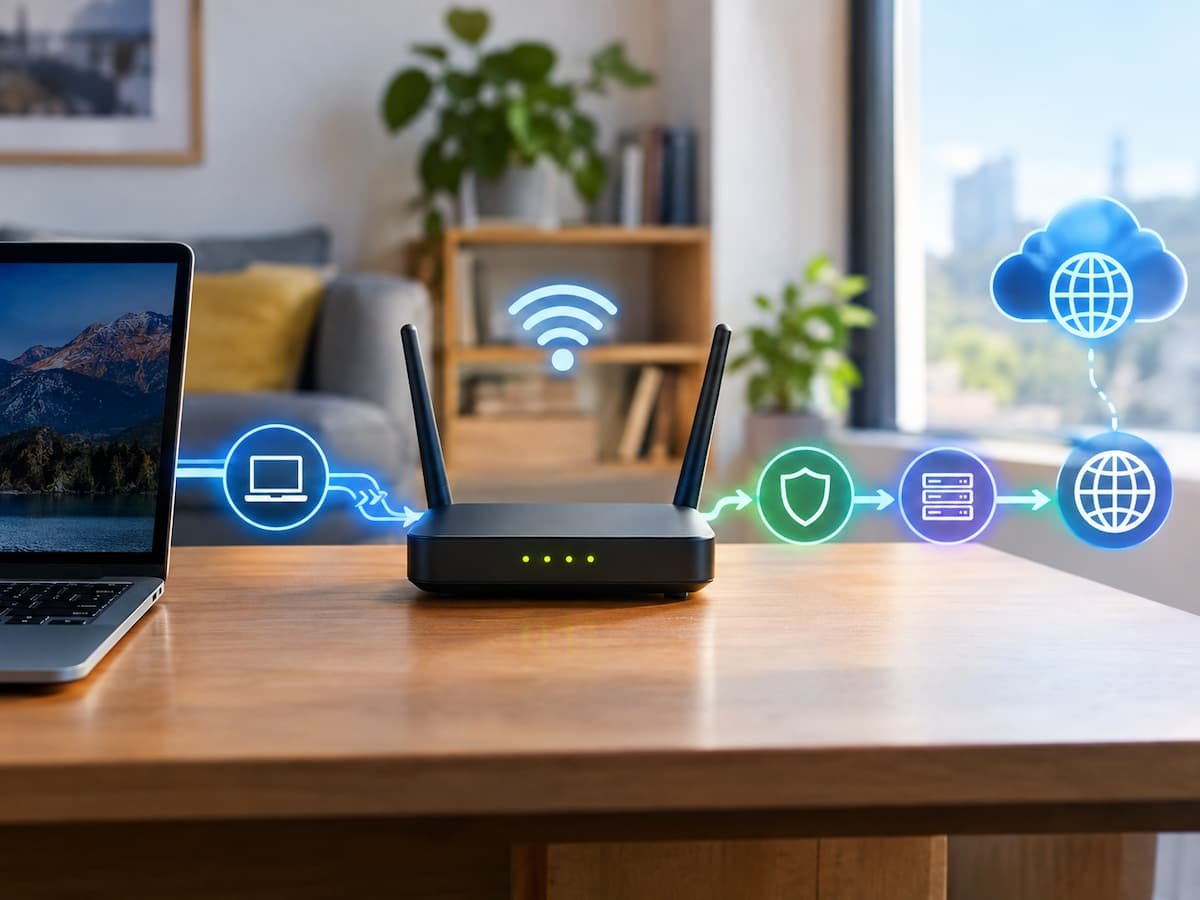
When you open a website, it is easy to imagine your computer sending a request directly to that website’s server. In reality, your request usually passes through several layers of networking before the destination ever sees it.
Your router sits at an important boundary in that process. It connects your local network to another network, usually that of your internet service provider, and makes several decisions along the way. It may translate private IP addresses, maintain connection state, forward packets, enforce firewall rules, obtain network configuration, and sometimes influence how devices communicate with one another.
The router does not normally decide which web page you want or understand the contents of every HTTPS request. Its main job is much lower in the networking stack: move traffic between networks while applying the rules and state needed to make that communication work.
Following a request from a laptop to a website reveals why several apparently unrelated technologies—DNS, IP addresses, routing tables, NAT, TCP or QUIC, and HTTPS—fit together.
The Request Starts on Your Local Network
Suppose you enter a website address into a browser.
Before the browser can communicate with the destination, your device needs network information. It generally needs an IP address for itself, a subnet configuration, and a default gateway. In many ordinary home networks, the router provides this information through DHCP, the Dynamic Host Configuration Protocol.
The router may assign your computer a private IPv4 address such as 192.168.1.25. Your phone, television and other devices can receive different private addresses from the same local network.
Those addresses are not normally the globally routable addresses used to identify your home network on the public internet.
Your device also needs to know where to send traffic destined for an address outside its local subnet. That destination is normally the default gateway, which is usually your router’s local IP address.
At this point, the router has not yet sent anything to the website. It has simply become the next network hop for traffic that your computer cannot deliver directly on the local network.
The Website Name Has to Become an IP Address
If you type a hostname such as example.com, your computer cannot put that text directly into an IP packet as the internet destination.
It first needs to resolve the hostname.
This is where the Domain Name System (DNS) enters the process.
Your device may have a cached DNS answer. If it does not, it sends a DNS query to the resolver configured for the network. That resolver may be operated by your ISP, a public DNS provider, an organization, or another service.
The exact DNS path depends on the operating system, browser, network configuration and DNS protocol being used. Some modern systems can use encrypted DNS protocols such as DNS over HTTPS (DoH) or DNS over TLS (DoT), while ordinary DNS commonly uses UDP or, when required, TCP.
A DNS lookup can ultimately produce an IPv4 address through an A record or an IPv6 address through an AAAA record.
If you want to inspect the types of records associated with a hostname, the TechTalksX DNS Record Explorer is useful here:
The important point is that DNS does not normally send your web page request. It answers a separate question:
“Which network address should be used for this hostname?”
That distinction becomes important later.
Your Router Sees Packets, Not Usually Web Pages
Once your device has a destination IP address, it creates network traffic toward that destination.
At the IP layer, your computer determines whether the destination is local or remote. If the destination is outside the local subnet, the packet is sent toward the default gateway.
The local Ethernet or Wi-Fi network also needs to determine the hardware address of the next local hop.
With IPv4, this commonly involves ARP, the Address Resolution Protocol. Your computer can use ARP to discover the MAC address associated with the router’s local IPv4 address.
IPv6 uses a different mechanism called Neighbor Discovery, which is part of ICMPv6.
This produces an important distinction:
IP addresses identify network-layer endpoints; MAC addresses are used for delivery on the local link.
Your router participates in this local-link process while also operating at the IP layer where it decides how packets should be forwarded.
The Router Looks at the Destination
When a packet reaches the router, one of its core jobs is routing.
The router examines the destination IP address and consults its routing information to determine where the packet should go next.
A simplified routing decision might look like this:
| Destination | Routing decision |
|---|---|
| Device on the local network | Deliver through the appropriate local interface |
| ISP network | Forward toward the ISP |
| Another configured internal network | Forward through the matching internal route |
| Unknown external destination | Use the default route |
Real routing tables can be much more complicated, especially inside ISP and enterprise networks. Internet routers can use routing protocols and routing information exchanged between networks, while a home router usually has a much smaller set of routes.
The crucial point is that your home router is generally not choosing the complete path across the internet.
It decides where to send the packet next.
The ISP’s routers then make subsequent forwarding decisions. Those routers may send traffic through additional networks before it reaches the destination infrastructure.
So the path is better understood as a sequence:
Your device → home router → ISP → intermediate networks → destination network → server
There is no single router that knows the entire route in the way a GPS navigation system knows an entire road journey.
NAT Changes the Address Before It Leaves Home
There is another important operation in many IPv4 home networks: Network Address Translation (NAT).
Your computer might use:
192.168.1.25
But that address is a private IPv4 address. It is not normally used as the globally routable source address for traffic traveling across the public internet.
Your router may therefore translate the outgoing connection’s source information to the public IPv4 address assigned to your internet connection.
This creates a relationship between the internal connection and the translated external connection.
For example, conceptually:
Laptop: 192.168.1.25:53000
becomes something like:
Router’s public address: 203.0.113.10:41000
The exact addresses and ports are only illustrative.
The router records the translation so that returning traffic can be associated with the correct internal device.
This is why multiple devices in a home can simultaneously access internet services while sharing one public IPv4 address.
NAT is often described as though it were simply a method for “hiding” devices. That is incomplete. Its fundamental function is address and port translation between different addressing domains. The filtering behavior often associated with home NAT routers comes from the router’s stateful firewall and connection-tracking behavior, which is related but conceptually distinct.
The Router May Track the Connection
Modern home routers commonly maintain state about active connections.
Suppose your computer establishes a TCP connection to a web server. The router can maintain information connecting the internal flow to the translated external flow.
That state helps it recognize return traffic and send it back to the correct device on the local network.
For UDP traffic, routers can also maintain state, although the semantics differ because UDP itself is connectionless at the transport layer.
This becomes particularly important for applications such as online games, video calls and other real-time services where traffic does not necessarily behave like a simple browser download.
The router’s state can therefore influence whether returning packets are accepted, translated and delivered internally.
Then the Transport Protocol Takes Over
DNS has identified a destination address, and the router has a route toward that destination. The browser still needs a transport mechanism for the actual application communication.
Traditional HTTPS connections commonly use TCP underneath TLS.
A TCP connection establishes state between the endpoints and provides mechanisms for reliable, ordered delivery. TLS then provides encryption and authentication for HTTPS.
Modern web traffic can also use HTTP/3, which runs over QUIC rather than TCP. QUIC itself uses UDP as its underlying transport and implements transport functions such as reliable delivery and congestion control within the QUIC protocol.
This distinction matters because a router generally does not need to understand the HTTP request itself to forward the packets.
It can usually work with information such as:
- source and destination IP addresses
- transport protocol
- source and destination ports
- packet and connection state
- routing information
The application data can remain encrypted.
HTTPS Hides the Important Part From the Router
After the transport connection is established, the browser communicates with the web service using HTTPS.
Encryption means that an ordinary router forwarding the traffic generally cannot read the protected HTTP contents, such as the specific page data being exchanged.
It can still observe networking metadata necessary for forwarding, depending on the protocol and configuration. For example, IP addresses and packet sizes or timing can remain observable at various points in the network.
This distinction explains why a router can successfully forward an encrypted website request without knowing what article, image or account page you are accessing.
The router does not need to understand:
“The user wants the homepage.”
It needs to understand something closer to:
“These packets are addressed to this destination and belong to this traffic flow.”
The destination server and application infrastructure handle the meaning of the request.
What Happens After the Router?
Once the packet leaves your home router, it normally enters your ISP’s network.
Your ISP has its own routers and routing infrastructure. The traffic can then cross multiple autonomous systems—independently administered networks that exchange routing information with one another.
The exact path depends on routing policies, network topology, congestion, peering arrangements and other factors. It can also change over time.
Eventually, the traffic reaches the network that hosts or connects to the destination service.
And even that does not necessarily mean it reaches one physical server.
Large websites can use load balancers, reverse proxies, content delivery networks and distributed server infrastructure. The IP address returned by DNS may represent an edge service or infrastructure that decides where the request should be processed.
This is why the simple mental model of “my router sends the request to the website’s server” hides so much of the actual process.
Why a Website Can Work Even When One Part Fails
The layered design also explains several common troubleshooting situations.
Suppose DNS fails. Your internet connection may still be functioning perfectly at the IP level, but the browser may be unable to turn a hostname into an address.
Suppose DNS works but the destination is unreachable. The name can resolve successfully while packets fail somewhere along the network path.
Suppose the server receives the connection but returns an HTTP error. The network can be functioning correctly while the web application reports a problem.
These are different failure layers.
The TechTalksX HTTP Status Code Explorer can help distinguish application-level responses such as redirects, client errors and server errors:
For reference material, the site’s DNS Record Reference can also help when investigating how hostname resolution contributes to the process.
The important troubleshooting lesson is not to treat “the internet” as one system. DNS, local networking, routing, transport protocols and HTTP can fail independently.
What Your Router Does Not Usually Do
Several common assumptions about routers are worth correcting.
Your router does not normally determine the entire internet route by itself. It makes a forwarding decision for the next hop.
It does not normally need to decrypt HTTPS traffic to forward it.
It does not normally perform DNS resolution itself on behalf of every request in exactly the same way. A router can provide DNS forwarding or caching, but DNS architecture varies by network.
It also does not necessarily control your public IP address. Your ISP generally determines the address assigned to your internet connection, although the exact arrangement depends on the access technology and service configuration.
And the router does not normally know the complete content of the web request simply because the request passed through it.
These distinctions become especially useful when diagnosing connectivity problems.
The Entire Journey in One View
A simplified request can be represented as:
1. Browser identifies a hostname
↓
2. DNS resolution obtains an IP address
↓
3. Device determines that the destination is outside the local subnet
↓
4. Packet is sent to the default gateway
↓
5. Router examines the destination and selects a next hop
↓
6. NAT may translate the private source address and port
↓
7. Router forwards the packet toward the ISP
↓
8. ISP and other networks forward it through subsequent hops
↓
9. Destination infrastructure receives the traffic
↓
10. TCP/QUIC and TLS/HTTPS handle the transport and application communication
The response follows the reverse direction, with routing decisions made independently along the return path.
That last detail is easy to overlook. The route back to your device does not necessarily have to be the exact reverse of the route the request took.
Why This Hidden Process Matters
A router is often treated as a simple box that “provides Wi-Fi.” Wi-Fi is only one part of what many home routers do.
The device can sit at the boundary between your private network and your ISP, provide local addressing information, forward IP packets, perform IPv4 address translation, maintain connection state and enforce network policies. Different consumer and enterprise products can add considerably more functionality, so the exact behavior is implementation-dependent.
Understanding this layered process makes everyday problems easier to interpret.
If a hostname cannot resolve, investigate DNS rather than immediately replacing the router. If a device has a valid IP address but cannot reach external addresses, routing or connectivity may be involved. If packets reach a web service but the service returns an HTTP error, the problem may exist above the network layer.
Most importantly, it explains what happens before a website can respond: your browser’s request is broken into network traffic, addressed, transported across your local network, forwarded by your router, routed through other networks, and finally delivered to infrastructure capable of processing the encrypted application request.
The router is not the gateway to “the web” in one simple step. It is one carefully defined layer in a chain of systems that turns a human-readable website address into packets capable of traveling across many independently operated networks.